Spend more time on patients, and less time on paperwork.
GraceNotes turns your therapy sessions into clean, structured notes right in your browser. No installs or downloads required.
How GraceNotes works
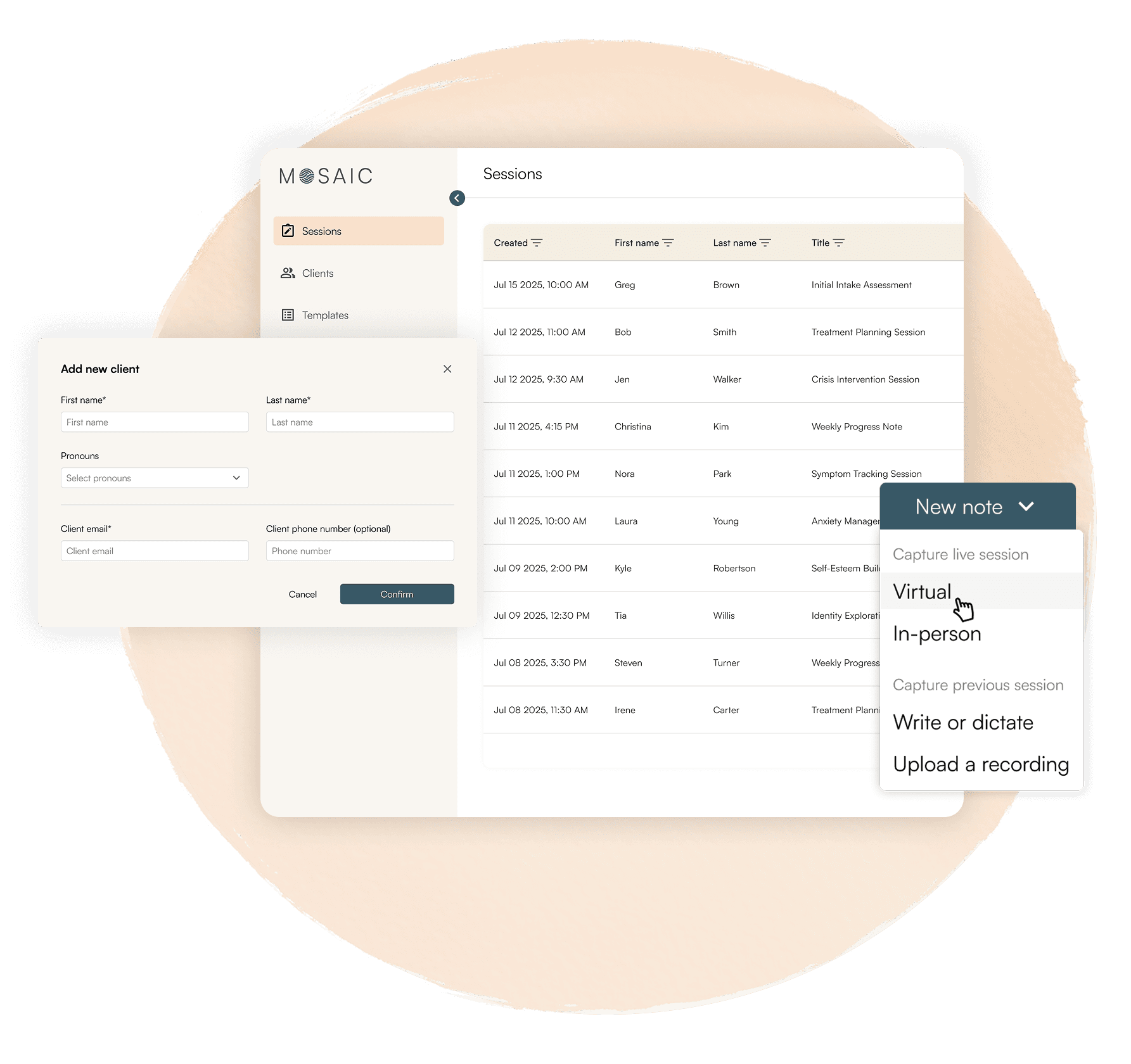
Start capturing a session in just a few clicks.


1. Choose Template
Pick SOAP, DAP, BIRP as well as other industry standard note formats, or build your own customized template.

2. Capture
Start audio capture at the beginning of a virtual or in-person session, dictate a summary, or upload a recording at any time.

3. Review & export
Skim, edit, and one-click export, ready for import into your preferred EHR platform.
Therapists often spend 25+ hours each month on documentation; time that could go back to care.*
*According to the University of Massachusetts Donahue Institute, practicing Clinicians reported spending 18% of their weekly work-hours on administrative tasks.
See how GraceNotes supports you
A quick way to understand what GraceNotes unlocks for your practice.

$215
55
25
Total annual impact

Time Back
5
Hours saved per week

32.5
Workdays reclaimed per year
Increased capacity
189
Additional client sessions per year
4
New clients brought into care
GraceNotes is an intuitive, clinician-first dashboard.
No training,
No learning curve.
If you can use a browser, you can use GraceNotes.
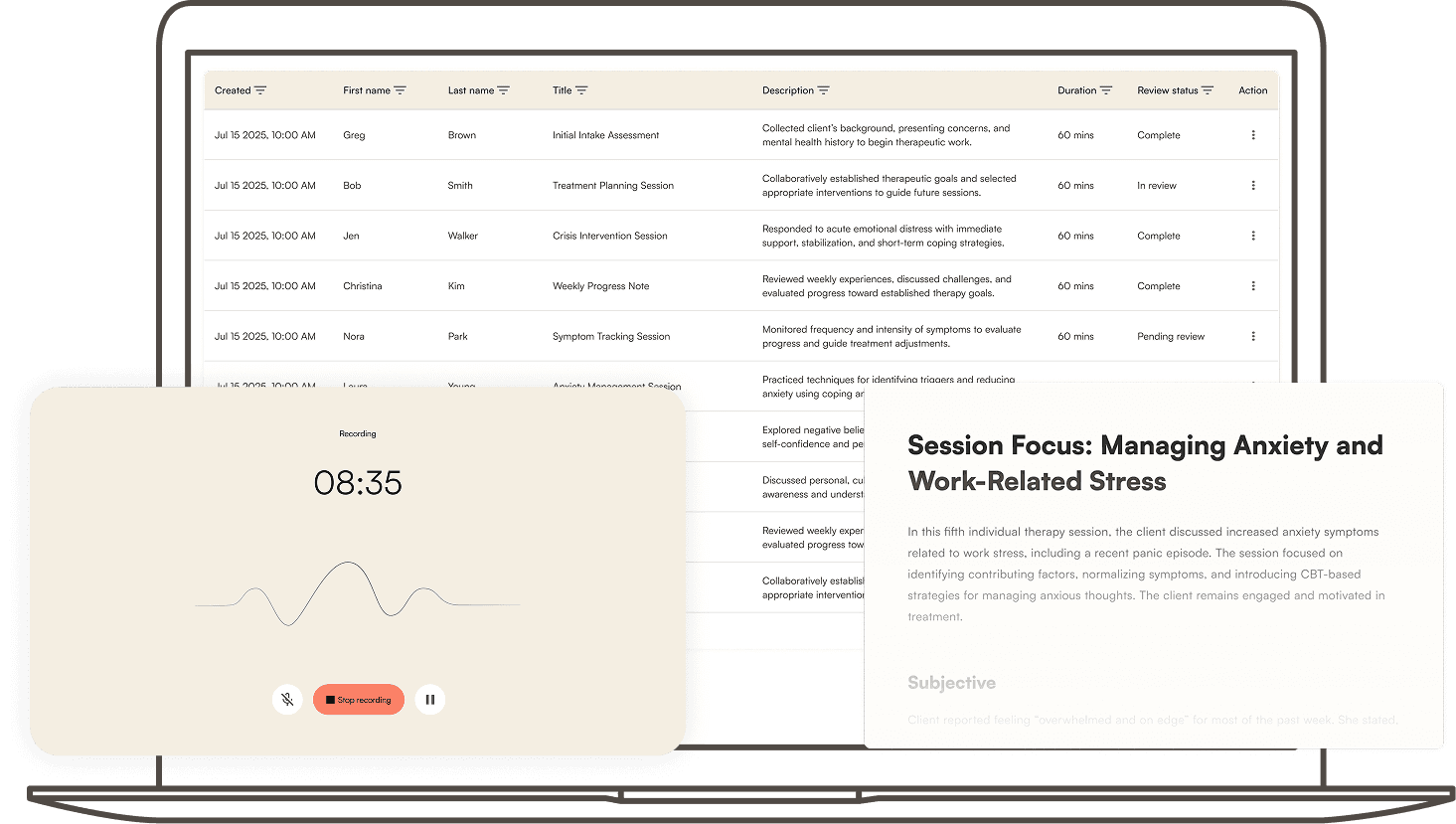
Start capturing a session with just a few clicks, dictate a summary, or upload a recording. When the session ends, your chosen template (SOAP/DAP/BIRP and more) is drafted automatically. Skim, make quick inline tweaks, then export in your preferred format in minutes. Runs in your browser and, by design, keeps all sensitive data within the US.
Built to stay out of your way: clear sectioning, smart defaults, and easy editing mean you won’t be spending your evenings typing notes and formatting documents.
Data handling & compliance



Frequently asked questions
- Yes. Mosaic is designed to support HIPAA-regulated workflows, including appropriate safeguards and role-based access.
- Yes. GraceNotes supports standard clinical note formats (SOAP, DAP, BIRP, etc.) that can be used to document intake sessions as well as ongoing treatment and progress notes.
- Yes. You can copy your complete note or section by section and paste it into your EHR fields directly. GraceNotes is designed to fit the tools you already use.
- Your EHR remains your system of record. If you store a transcript/note with client identifiers in your clinical record, it may be considered part of the medical record; if you keep only de‑identified working text outside the record, it typically is not. Always be sure to follow your local regulations and your organization’s policies.
-
- Dictate: speak your session summary directly into GraceNotes and get a structured progress note.
- Upload: drop an audio file; GraceNotes transcribes, organizes and drafts your note.
- Record: capture the session (in‑person or virtual), then review the draft. You can always edit and finalize if needed before export.
- GraceNotes currently supports SOAP, DAP, BIRP, GIRP, PIRP, and PIE, with new templates being added consistently to better suit your workflow.
Take care of your clients, we’ll take care of the rest.